Bots
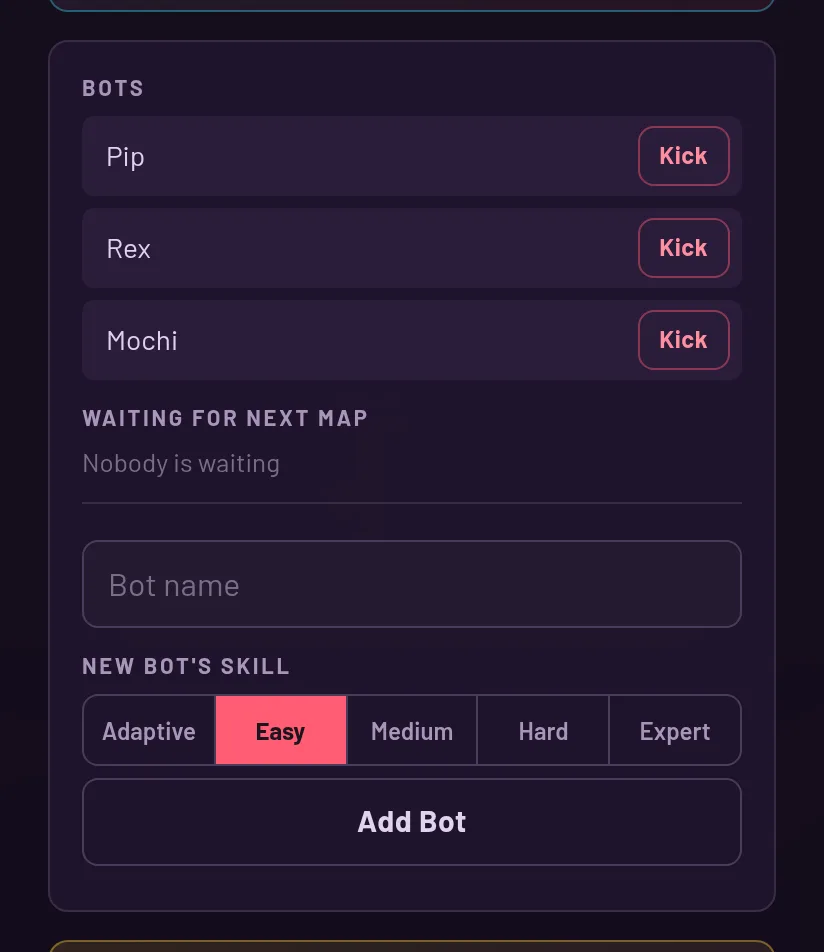
The host adds named bots, picks how strong they are and kicks them when needed.
Bots in quick play
In quick play, bots often keep you company: the game seats them in a public room that already has a human, never in an empty room and never in a party. They give their seat to a human who arrives, so they never take your friend's place.
If you are the only human with bots, the match starts on its own after 10 seconds of warm-up. A party never gets bots by itself: it stays bot-free until the host adds some.
Adding a bot
Only the host can do this. Open the pause menu and find the bot controls. Type a name (blank gives a random one), choose a skill and press Add Bot. Names are checked, and a name that isn't allowed is turned down.
A bot counts as one of the room's 8 seats. If the request fails because no bot is available or the match is full, the game tells you and you can try again.
Choosing the skill
The skill options are Adaptive, Easy, Medium, Hard and Expert, and Adaptive is the default.
Adaptive follows how the humans in the room are doing. It never drops to a pushover, and it can reach full strength. The other four are fixed: that bot plays at that level and doesn't change.
Kicking a bot
The pause menu lists the bots in your party, each with a Kick button. Kicking is permanent for that bot. Only the host can do it, and only to bots: nobody can kick a human player.
What bots do
A bot joins like any player and fights with the same weapons and the same parry shield. It doesn't vote on ghost cards.