Invite friends with a link
Copy your match's link and send it. Your friend lands in your room, no sign-up needed.
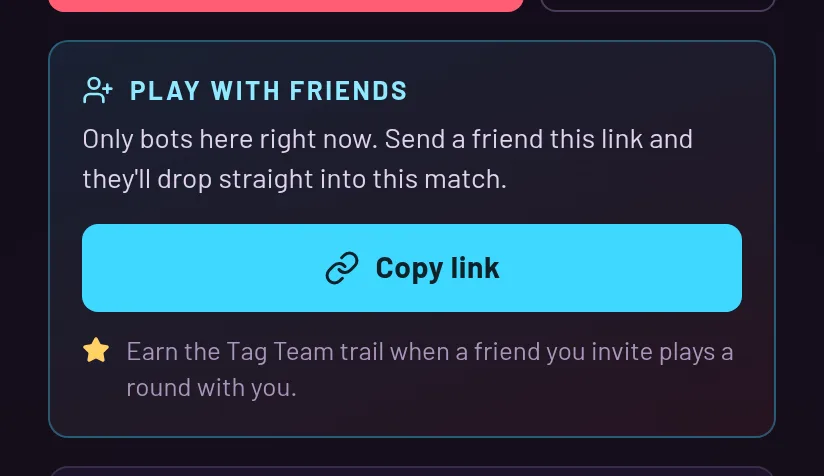
Where to find it
Open the pause menu (Esc, or the Pause button on a phone). The "Play with friends" card has a Copy link button. On phones it says Share and opens the share sheet.
The link itself is never shown on screen. You copy it and paste it wherever your friends are.
What your friend sees
Your friend opens the link and gets the join screen. The Play button now reads Join Party, and the Create button is gone. They pick a name, or leave it blank for a random one, and press the button. They don't need an account.
If you are playing alone, a small hint suggests inviting a friend after you have been the only human in the room for 45 seconds. It doesn't appear every time, and you can dismiss it.
When it doesn't work
If the party doesn't exist anymore, your friend sees "That party code doesn't exist or has expired." If the room already has 8 humans, they are told the match is full and can press Play to jump into another one.
If the room is full but some of the seats are bots the game added on its own, a friend who arrives through your link takes a bot's seat. A bot the host added by hand keeps its seat.
The Tag Team trail
When a friend you invite plays a round with you, you earn the Tag Team trail. It counts once per friend, and it doesn't count if the friend is your own account, if it is a bot, or if you left before they played.