Export settings, one by one
Every option in the export dialog explained: shape, size, frame rate, quality, format, and what every video includes.
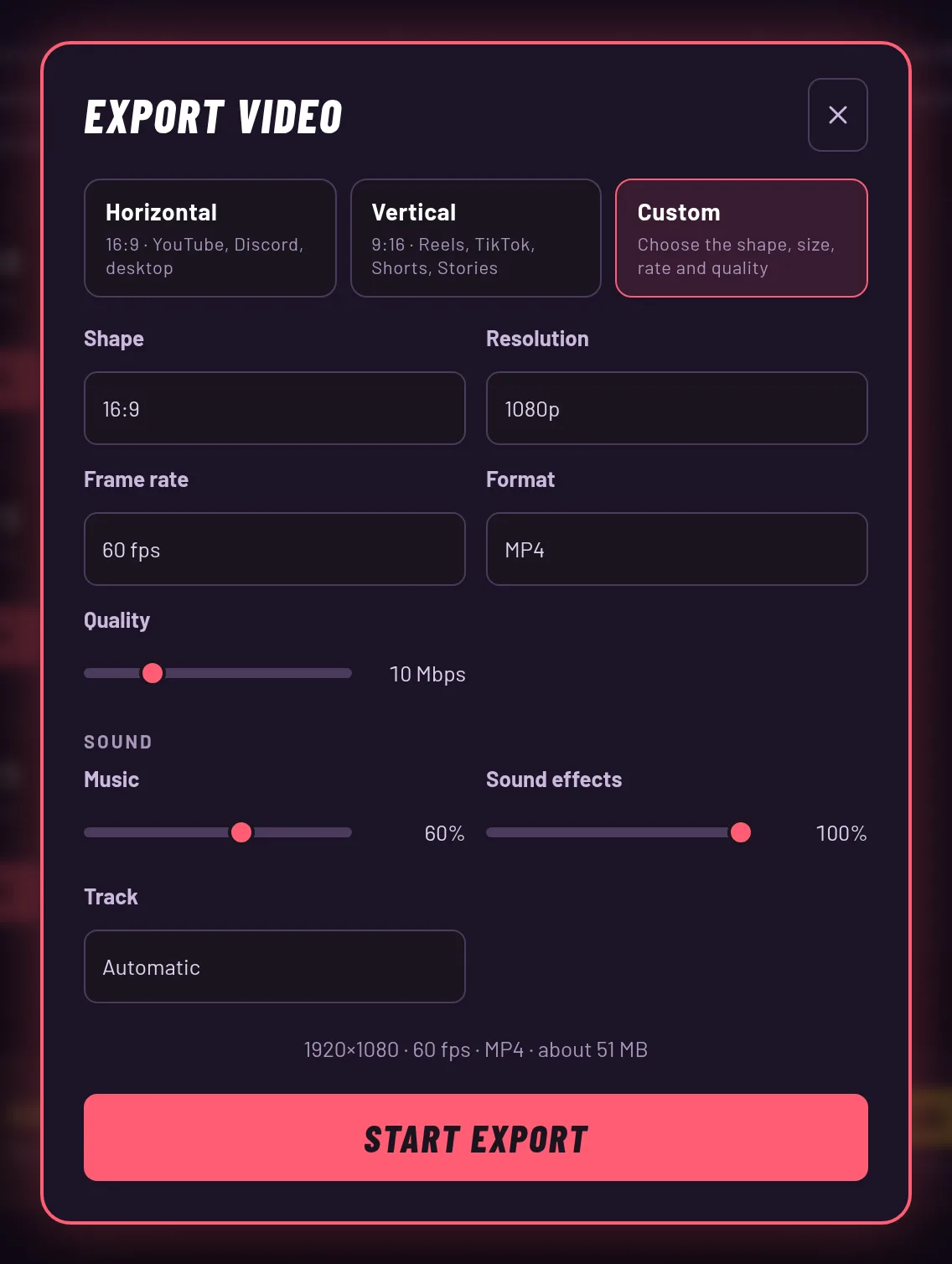
The presets
| Preset | Shape | Size | Frame rate (fps) | Quality | Format |
|---|---|---|---|---|---|
| Horizontal | 16:9 | 1920 × 1080 | 60 | 10 Mbps | MP4 |
| Vertical | 9:16 | 1080 × 1920 | 60 | 10 Mbps | MP4 |
| Custom | 16:9, 9:16, 1:1, 4:5 | 540p – 1440p | 24 / 30 / 60 | 1 – 40 Mbps | MP4 / WEBM |
Shape and size
Shape is 16:9, 9:16, 1:1 or 4:5. Resolution sets the short side of the frame: 540p, 720p, 1080p, and 1440p. The table above gives the exact size of each preset.
The dialog shows the output size, the frame rate, the format and a rough file size before you start. Treat the file size as a guess.
Frame rate and quality
Frame rate is 24, 30, and 60. The default is 60, because a fighting game looks best at full speed.
Quality is the video bitrate, from 1 to 40 Mbps. A bigger number means a sharper picture and a bigger file. When you change the resolution, quality resets to the default for that size.
Format
You can choose MP4 or WebM. MP4 is the default. Which one you actually get depends on your browser: if it can't make MP4, it makes a WebM instead, and the file extension follows.
If your browser can't encode video at all, the export fails and the game tells you so.
Cards and watermark
Every export has a logo and vibefighter.io in the corner of the game footage and a 3 second end card. A Play of the Game also gets its 2.5 second intro card at the start. These are always on, so the settings above only change the rest of the video.