My Recordings
Every match you play shows up in My Recordings, ready to watch again, share or turn into a video.
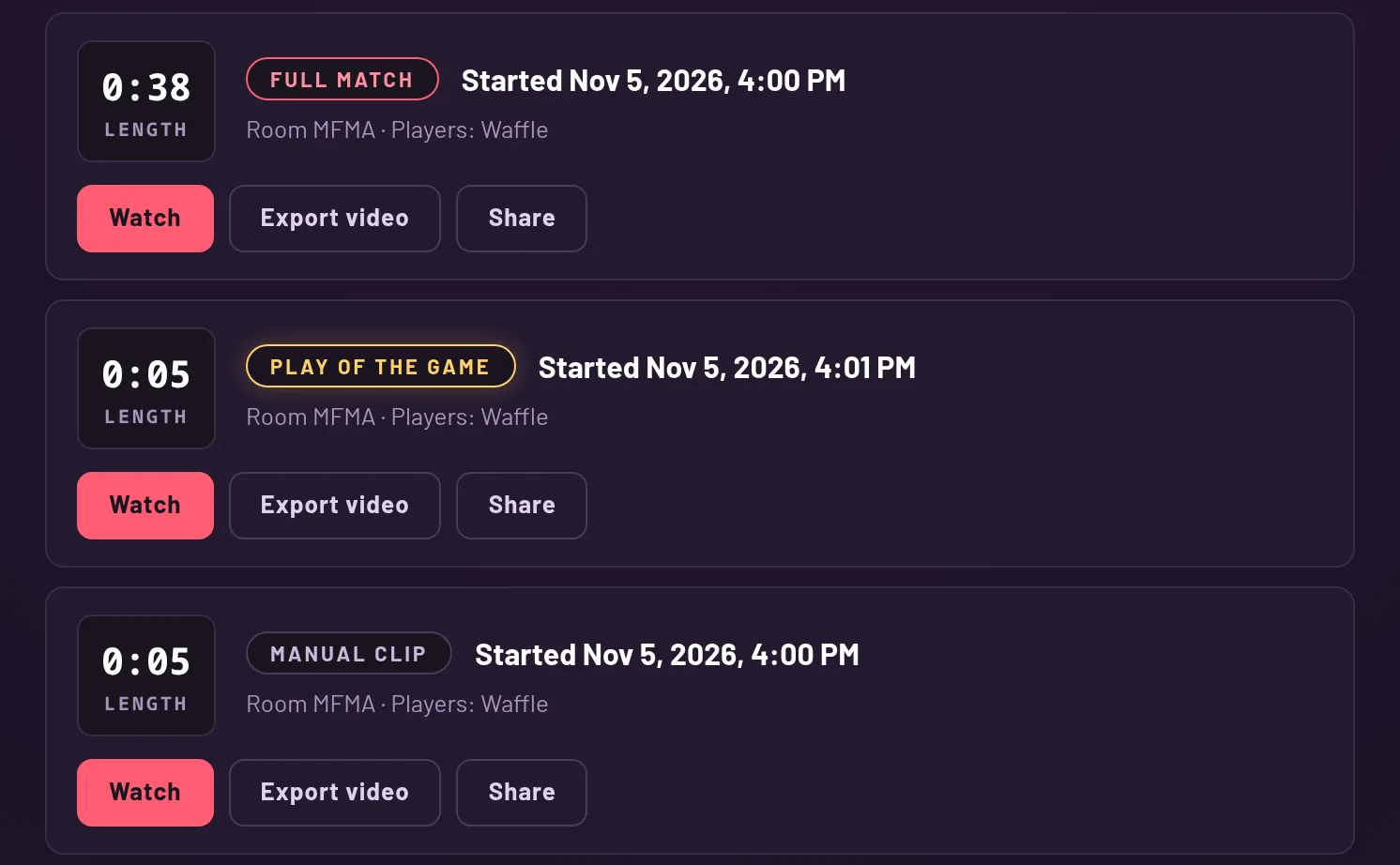
What each row shows
Each recording is a row with a big tile for its length (like 2:05), a badge for its kind, when it started, the room code and the names of the players.
The newest come first, and the page loads them in batches. Press "Load more" to go further back. Each row has three buttons: Watch, Export video and Share.
Full match, Play of the Game, Manual clip
A Full match is the whole match, saved automatically. A Play of the Game is a short clip of the best moment, cut when the match ends. A Manual clip is one you started yourself with the G key.
The badge on each row tells you which is which.
Locked recordings
You can open your newest 100 recordings, or 1,000 with Plus. A recording past that shows a lock, and its only button is "Unlock with Plus".
When you have Plus again, those recordings open again.
The list updates by itself
Leave the page open in a tab while you play and new recordings appear on their own, no refresh needed. Until you've played a match, the page says there are no recordings yet.