Watching a replay
Pause, scrub, slow it down or speed it up. How the replay bar works, and the keys that go with it.
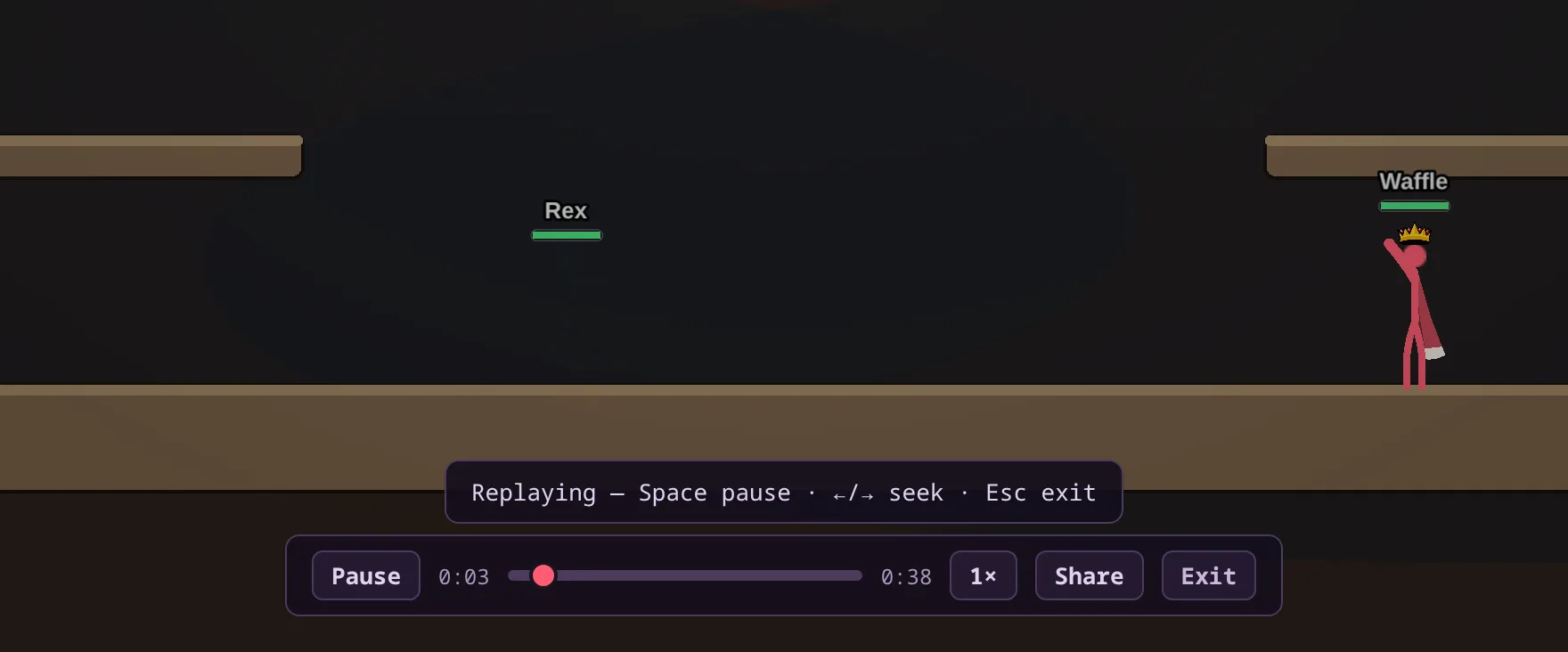
Opening a replay
Press Watch on a row. The game page opens in replay mode and plays the match exactly as it happened. When you're done, press Exit or Esc.
A Play of the Game clip is a short highlight that plays straight through. When it ends, you can watch it again, export it as a video or exit.
The replay bar
On a Full match or a Manual clip you get a bar with play and pause, the time, a scrub bar, the total length, a speed button, Share and Exit.
The speed button cycles through 0.25×, 0.5×, 1×, 2×, and 4×. Drag the scrub bar to jump anywhere in the match.
Keys
Space plays and pauses. The left and right arrow keys jump back and forward 5 seconds. Esc exits the replay.
On a phone
Replays look best sideways. If you open one with your phone upright, the game offers to rotate to landscape.